




Addressing a Compromised Account
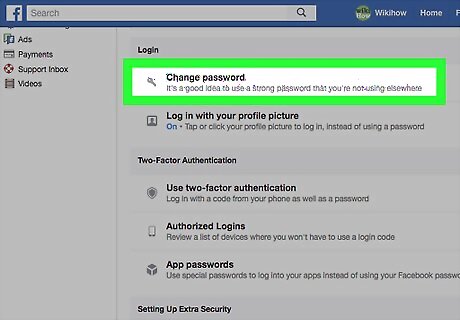
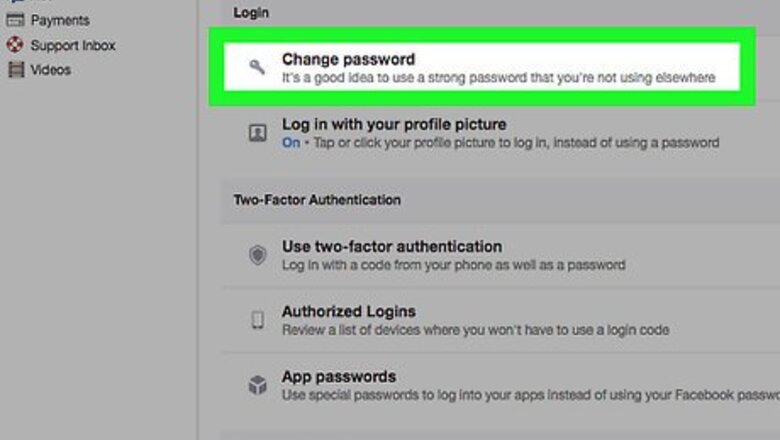
Change your Facebook password. The first step in addressing a compromised Facebook account is changing your current password to a unique, strong one. If you can no longer log into your Facebook account using the correct credentials, report that the account was hacked.

Change passwords for connected services. The majority of online users repeat passwords for different services, meaning that any virus which obtains your Facebook password could feasibly have access to those services. If your Facebook information is compromised, changing the passwords for any connected services (Instagram, Spotify, email services, and so on) is a must. For example, if the password for the email address you use to log into Facebook is the same as your Facebook password, you'll want to change the email address' password immediately.
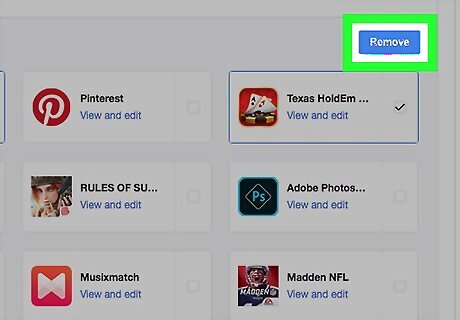
Remove unsecure or suspicious apps. When you use your Facebook account to log into an app (e.g., Tinder), the app gains access to your Facebook information. Unfortunately, after a Facebook hack, you may inadvertently give access to an unwanted app. You can remove apps from your Facebook account by doing the following: Go to https://www.facebook.com and log in. Click the "Menu" icon Android 7 Dropdown in the upper-right corner. Click Settings Click Apps and Websites on the left side of the page. Check the box to the right of any suspicious apps in the "Active Apps and Websites" section of the page. Click the blue Remove button. Check the "Also delete all posts..." box and click Remove when prompted.

Log out of other locations. Facebook provides you with a list of locations in which you're logged into Facebook. If you see a location that you don't recognize, you can immediately log out of it by selecting the location and then selecting Log Out.
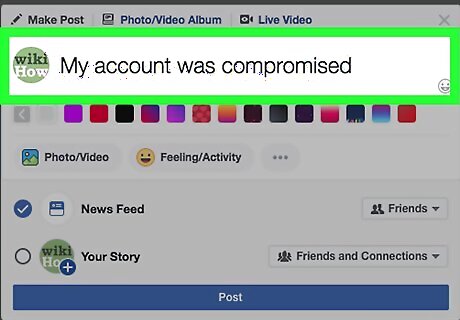
Alert your friends that your account was compromised. A side effect of most Facebook hacks is that your friends may receive a message with a malicious link from your account. In order to prevent the hack from propagating on Facebook, post a status alerting your friends that your account was hacked. You might want to explain briefly the circumstances under which your account was compromised (for example, if you were hacked when you opened a message from someone, mention that in your post) to help your friends know what to look for.
Avoiding Future Problems
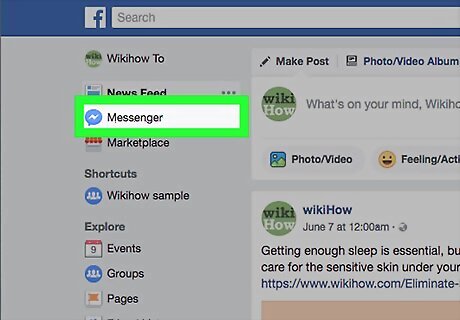
Know how to identify Facebook malware. Malware on Facebook can take many different forms, but it most often manifests as a link being promoted or sent via Messenger. The main iterations of malware include the following: A friend ambiguously promoting a product or a service A message from a friend with a link or a video and a phrase such as "Is this you?" or similar Any promotion, post, or message from a friend which seems dissonant with their tone or usual social media practices EXPERT TIP Luigi Oppido Luigi Oppido Computer & Tech Specialist Luigi Oppido is the Owner and Operator of Pleasure Point Computers in Santa Cruz, California. Luigi has over 25 years of experience in general computer repair, data recovery, virus removal, and upgrades. He is also the host of the Computer Man Show! broadcasted on KSQD covering central California for over two years. Luigi Oppido Luigi Oppido Computer & Tech Specialist Stay vigilant, since Facebook malware is constantly evolving. Viruses are dynamic, live things. How they get into machines changes by the week. If you use the Internet, at some point something is going to try and attack you, so keep your antivirus and antimalware up-to-date, and be careful not to click on links or download attachments you don't recognize.
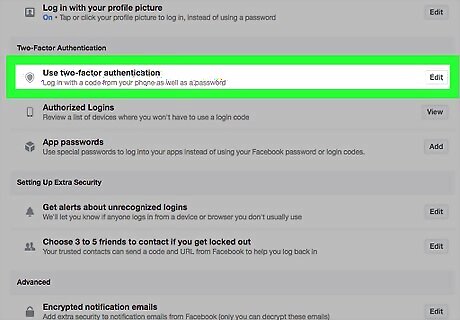
Enable two-factor authentication. Two-factor authentication is a service which requires two methods of verification—a password and a unique code that is sent to your phone—to log into Facebook. This means that anyone attempting to break into your Facebook account will need both your Facebook password and your phone in their hand to succeed. To enable two-factor authentication, do the following: Go to https://www.facebook.com and log in. Click the "Menu" icon Android 7 Dropdown in the upper-right corner. Click Settings Click Security and Login Scroll down to the "Two-Factor Authentication" section. Click Edit to the right of "Use two-factor authentication", then click Get Started. Enter your password when prompted. Check the "Text Message" box, then click Next (you may have to enter your phone number before proceeding). Enter the six-digit code that Facebook texts to your phone number, then click Next. Click Finish when prompted.
Look at links before opening them. If you can identify a link's website and specific page by looking at the URL, it's most likely not a malicious post. This doesn't mean that all readable links are safe; always examine the context of the post before clicking a link. For example, if the link has something like "bz.tp2.com" instead of an easily identifiable link such as "www.facebook.com/security", avoid clicking the link. If the link is readable but it has been posted in a suspicious manner (e.g., in poor grammar by a friend who normally uses proper grammar), avoid opening it.

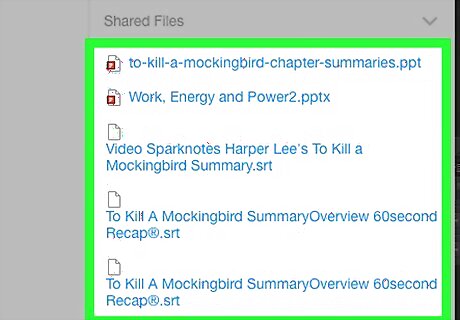
Verify messages with friends. If you do receive a non-contextual link or file from a friend, ask them to confirm that they intentionally sent the item before opening it. When a virus sends such a link or file, no record of the item shows up on your friend's side of the conversation. Naturally, if your friend verifies that they've sent the message, you're free to open the included link or file.
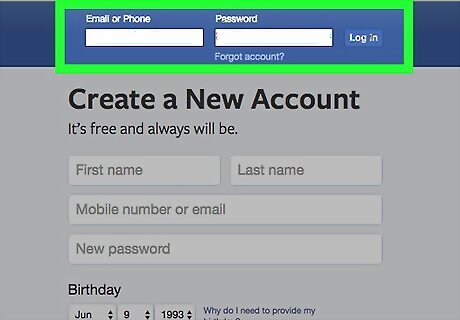
Log into Facebook using only the website or mobile app. There are numerous sites on which you can log in using your Facebook account information (Spotify, Instagram, and Pinterest are common examples), but doing so increases the damage that a compromised account can inflict. For your account safety, only use your Facebook credentials to log into Facebook via the Facebook website (https://www.facebook.com/) and the official Facebook mobile app. Similarly, some Facebook viruses will attempt to get you to enter your login information on an unrelated page that resembles the Facebook login page. Doing this will cause your account to be compromised.









Comments
0 comment